Todo #16792
closedImprove GUI handling of user rules that are automatically managed by the system
100%
Description
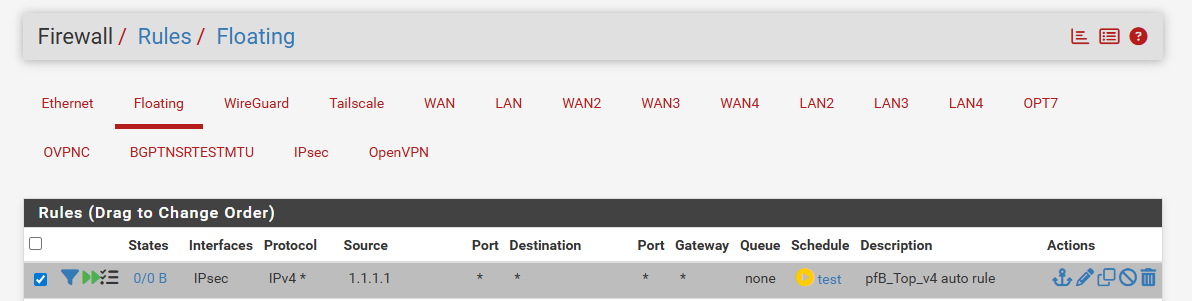
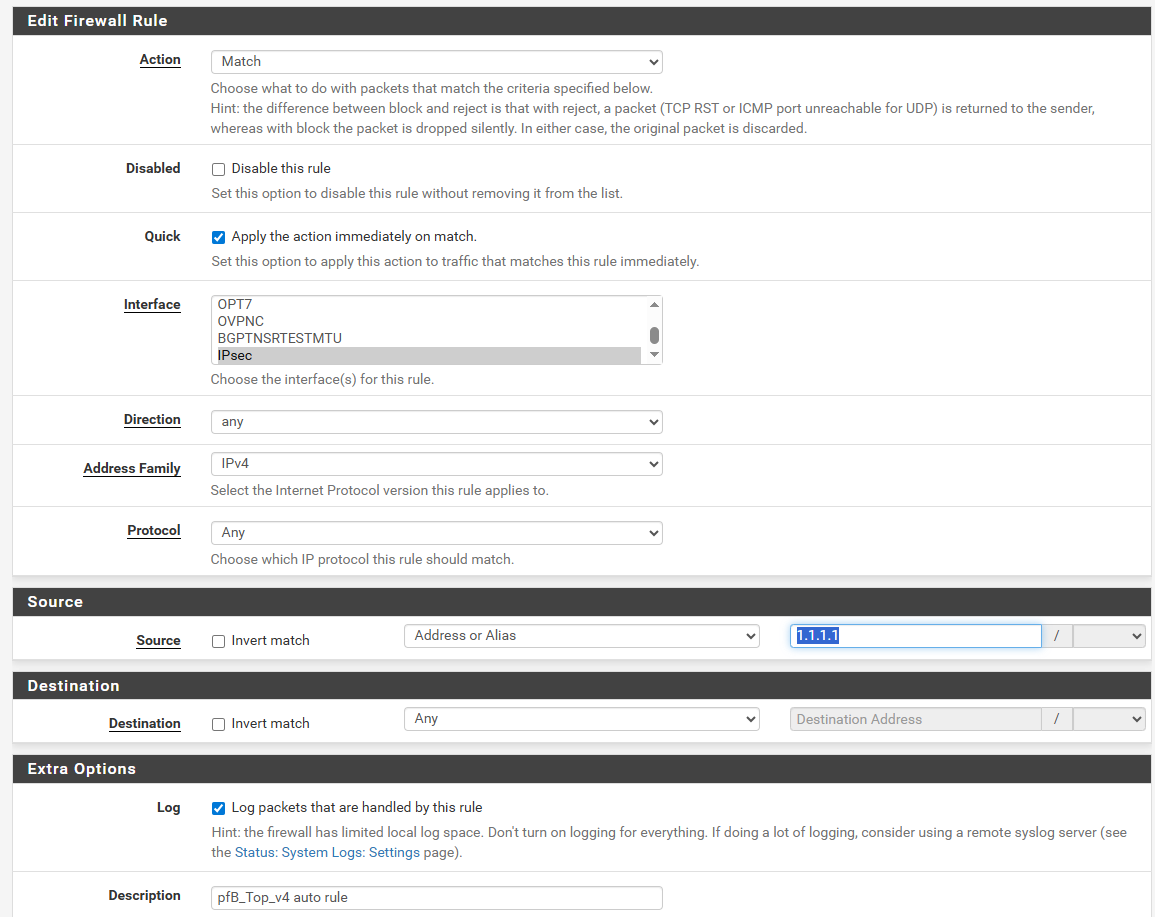
Services or packages can insert rules into config.xml so that the rules show up e.g. in the Floating rules tab. These user-facing rules are meant to be managed by the system and hence any user modifications are lost upon the rule being regenerated. Make the GUI aware of these rules so that they are still visible but cannot be edited or re-ordered by the user.
Auto-managed rules differ in the following way:
Normal actions are not available; instead the Actions column contains an icon indicating the rule is managed, and potentially the X icon for non-ethernet pass rules with a valid tracker.
Note: Rule reordering is restricted to the rule's category. This applies to both user-managed and auto-managed rules. For example if an auto-managed rule's category places it after user floating rules, that will take precedence over the user manually positioning a user-managed rule after the auto-managed rule.
Files
GT Updated by Georgiy Tyutyunnik 5 months ago
- File floating_rule_example2.png floating_rule_example2.png added
- File floating_rule_example1.png floating_rule_example1.png added
tested on:
26.07-DEVELOPMENT (amd64)
built on Sat Apr 25 14:00:00 HKT 2026
FreeBSD 16.0-CURRENT
pfBlockerNG 3.2.16
I can still edit the User system-managed rules
MM Updated by Marcos M 4 months ago
- Related to Todo #16793: Improve GUI handling of user aliases that are automatically managed by the system added