Bug #5801
closed
Diagnostics drop-down menu does not show all options
0%
Description
Traceroute option unavailable for selection on Macbook with 1440x900 resolution. Since there is no way to scroll on the drop-down menu, there is no easy way to access traceroute.
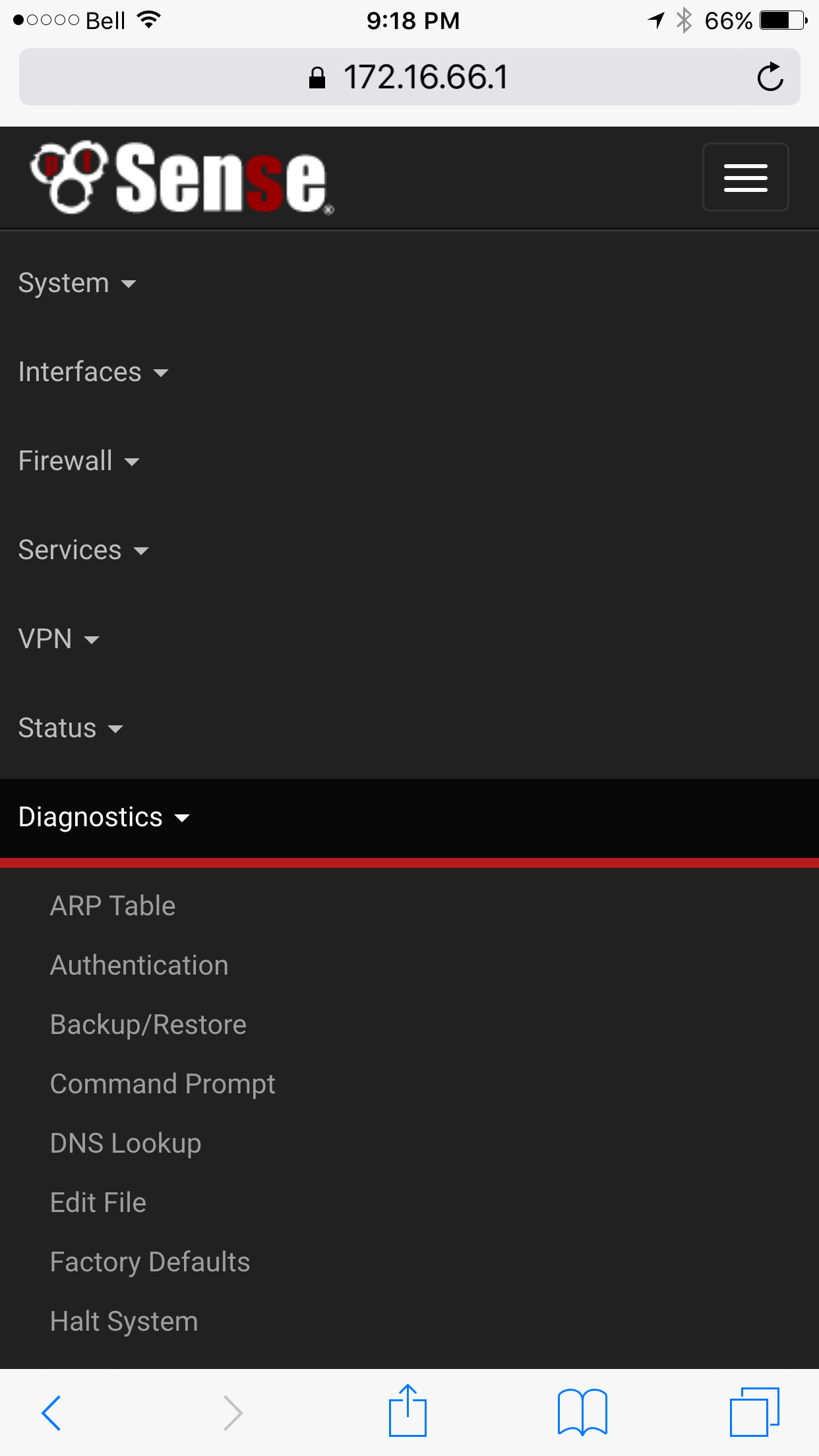
About half the options are unavailable on iPhone 6 Plus from Diagnostics menu. No way to scroll down to see the additional options.
I think some type of scrolling system would help.
Files
 Updated by Chris Buechler almost 10 years ago
- Status changed from New to Feedback
not seeing that on iOS with Safari or Chrome, or OS X with Chrome. On short pages, like the WoL page shown, after clicking the Diagnostics drop down, the page becomes longer and you can scroll to the very bottom of the page and see all the menu items. Right side of the screenshot's cut off so can't see whether it's scrollable, but guessing it is. Similar on iOS, expanding Diagnostics makes all the options appear when you scroll down on the page.
 Updated by Phillip Davis almost 10 years ago
System->General Setup
If you have Top Navigation set to Fixed then there is no way to make the drop-down menu scroll. If the client screen is too small to fit the drop-down list, then you can't get to the end.
Change Top Navigation to Scrolls with Page and you are good.
Not sure how (or if) to "fix: this. It has been mentioned before.
Updated by Chris Buechler almost 10 years ago
- Status changed from Feedback to Not a Bug
- Target version deleted (
2.3) - Affected Version deleted (
2.3)
ah yeah, thanks Phil. That's not the default, and as it says right there "The fixed option is intended for large screens only." Don't think that's reasonably fixable, and it's a circumstance it specifically says not to use.
 Updated by Marco Novielli almost 10 years ago
Sorry about that guys - I didn't realize. I will switch back to default.