Bug #16323
openSerial/Console Baud Rate Cannot Be Changed
50%
Description
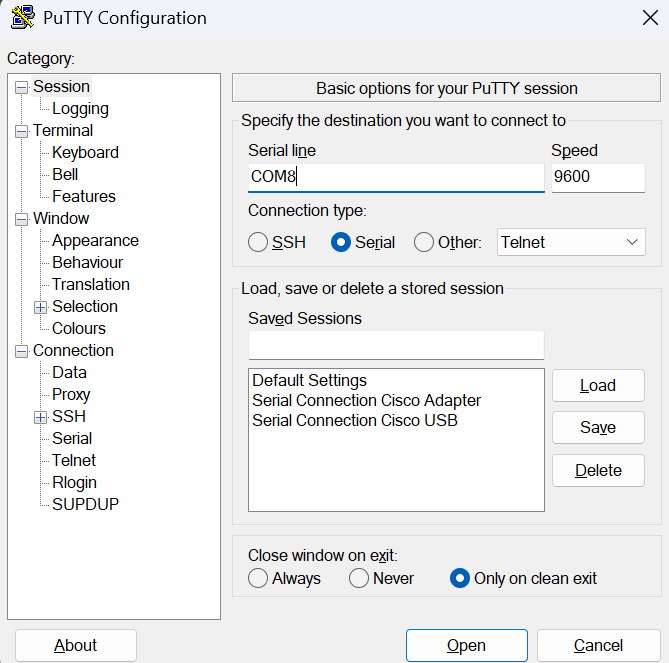
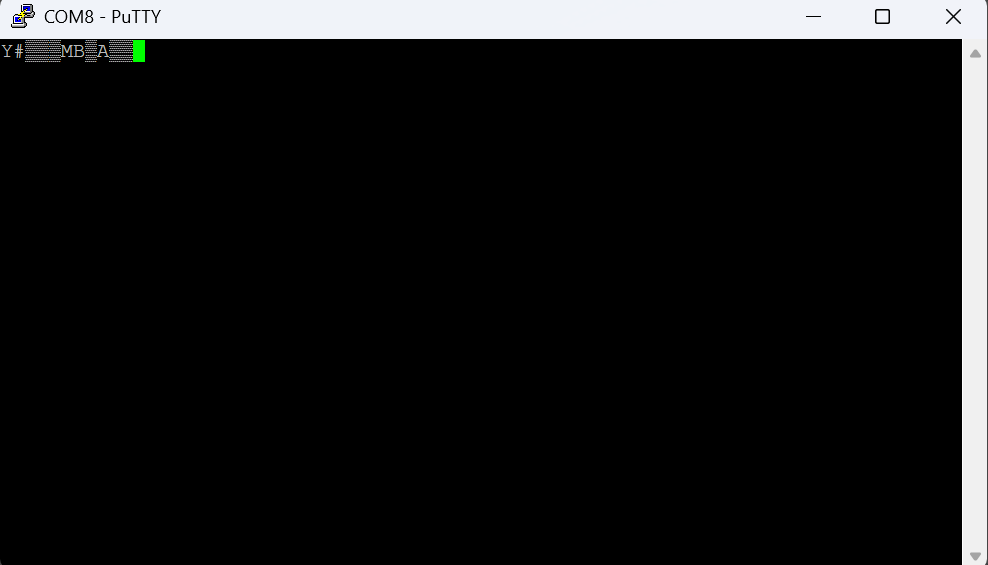
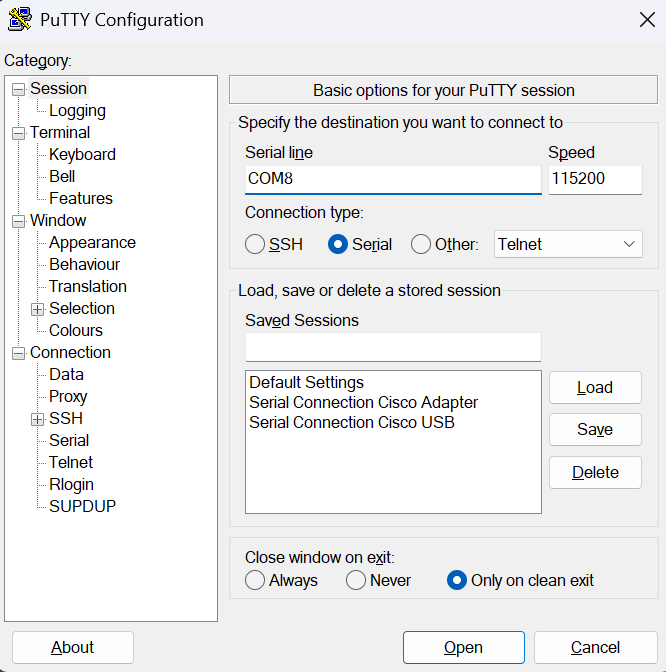
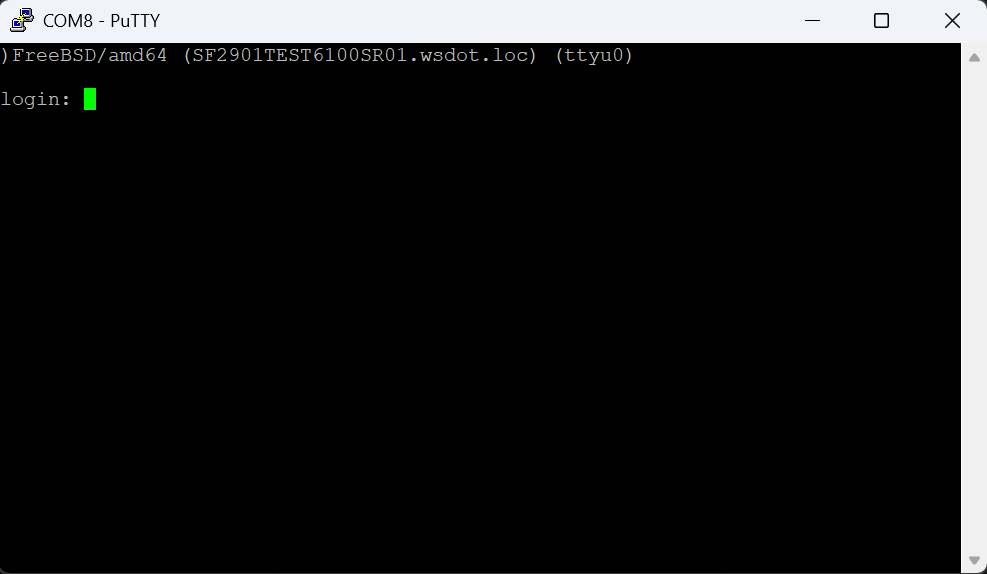
Despite whatever baud rate is set in the settings (System->Advanced->Admin Access), successful serial connections only work with the default of 115200/8/N/1. Any other settings will appear garbled. Pictures are attached showing the issue.
Hardware:
Netgate 6100
Firmware Version:
24.11-RELEASE (amd64)
The "password protect the console menu" is in use.
Files

SB Updated by Sayed Mohammad Badiezadegan about 1 year ago
Alex Ellington wrote:
Despite whatever baud rate is set in the settings (System->Advanced->Admin Access), successful serial connections only work with the default of 115200/8/N/1. Any other settings will appear garbled. Pictures are attached showing the issue.
Hardware:
Netgate 6100Firmware Version:
24.11-RELEASE (amd64)
I confirmed that this error happens for Netgate 3100 too. I changed it to 9600, but it can still be connected with 115200 baud rate only.
The "password protect the console menu" is in use.
BA Updated by Bryan Allen about 1 year ago
- Status changed from New to Confirmed
Confirmed this on 6100 25.07.r.20250715.1733.1500029
changed serial speed to 57600 > restarted firewall > attempted to connect using screen (garbled text)
was still able to connect using 115200 serial speed
JG Updated by Jordan G about 1 year ago
confirmed serial speed is not respected once changed, XG-7100 on 25.07.r.20250715.1733
JP Updated by Jim Pingle about 1 year ago
Has anyone tried this on a non-EFI device to see if it works there?
This may only affect EFI consoles as they are different/special in this way. Though there are possibly a couple contributing factors.
/boot/loader.conf.luahas a hardcoded line declaringcomconsole_speed="115200"but changing that doesn't seem to have any effect on the EFI console speed- The lines in
/boot.configand/boot/loader.confare updated with the appropriate speed - We may need to set
efi_com_speedto match the desired speed, though in my limited testing that didn't appear to have any effect on its own either - In each case no matter what I set, this sysctl value was unchanged:
hw.uart.console="io:1016,br:115200"- Setting that manually in
/boot/loader.conf.localto the desired speed did work. - Don't just use that exact value, copy the current value and adjust the speed because different devices will have different addresses/console types there.
- Setting that manually in
SB Updated by Sayed Mohammad Badiezadegan about 1 year ago
Jim Pingle wrote in #note-4:
Has anyone tried this on a non-EFI device to see if it works there?
This may only affect EFI consoles as they are different/special in this way. Though there are possibly a couple contributing factors.
/boot/loader.conf.luahas a hardcoded line declaringcomconsole_speed="115200"but changing that doesn't seem to have any effect on the EFI console speed- The lines in
/boot.configand/boot/loader.confare updated with the appropriate speed- We may need to set
efi_com_speedto match the desired speed, though in my limited testing that didn't appear to have any effect on its own either- In each case no matter what I set, this sysctl value was unchanged:
hw.uart.console="io:1016,br:115200"
- Setting that manually in
/boot/loader.conf.localto the desired speed did work.- Don't just use that exact value, copy the current value and adjust the speed because different devices will have different addresses/console types there.
Tested with non-EFI, but nothing changed, and still working with 115200 baudrate
JG Updated by Jordan G about 1 year ago
tested with a 5100 installed booting BIOS with 25.07 and the serial speed setting is retained in the web interface but still only able to connect using 115200
RL Updated by Reid Linnemann about 1 year ago
- Assignee set to Reid Linnemann
- Target version set to 25.11
I'll have a look at this for 25.11, I imagine the scripted loader config introduced a bug here.
JP Updated by Jim Pingle 10 months ago
- Assignee deleted (
Reid Linnemann) - Target version changed from 25.11 to 26.03
JP Updated by Jim Pingle 7 months ago
- Target version changed from 26.03 to 26.07
- % Done changed from 0 to 50
While it does work on the 7100 where it boots with BIOS, it doesn't work on EFI consoles such as the 4100.
So it's better than it was, but still not fully resolved.
JP Updated by Jim Pingle 3 months ago
- Target version changed from 26.07 to 26.10