Bug #16676
open
Failed Upgrade with error
0%
Description
Issue:
Attempting to update from 25.07.1 --> 25.11.1
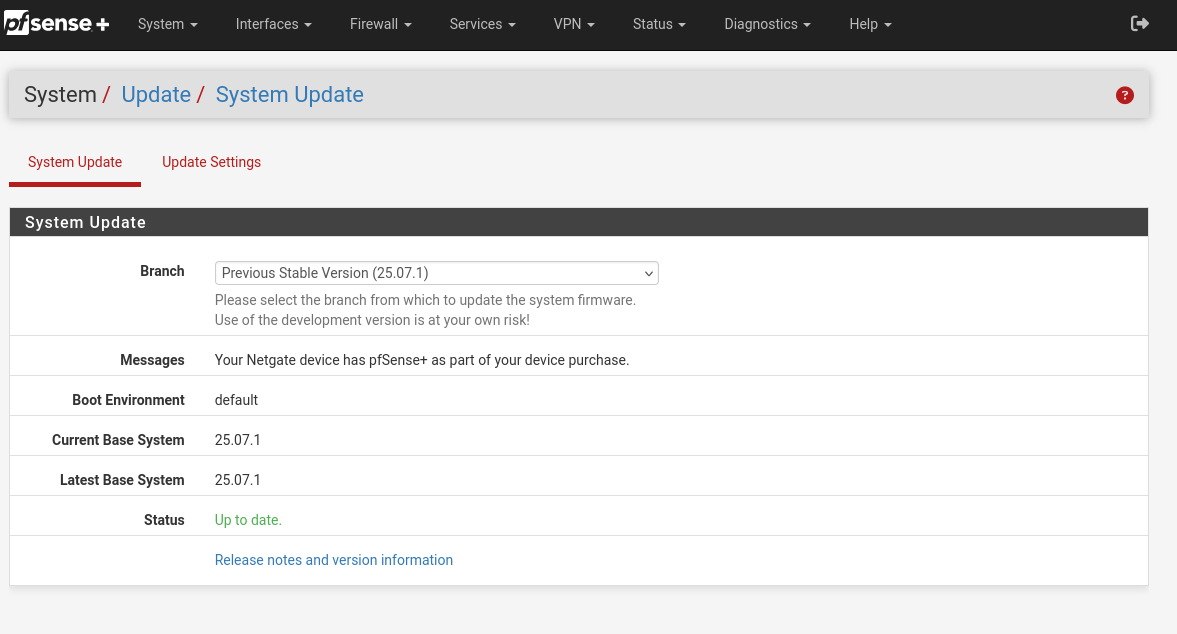
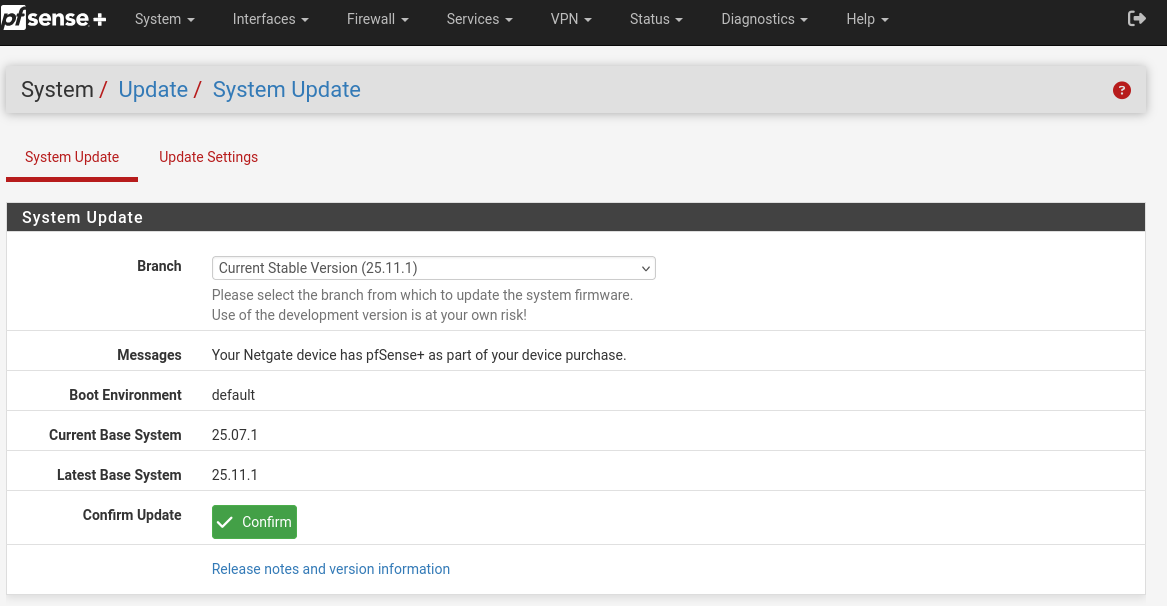
After updating the system seems to complete fine and reboots. Also no warnings upon beginning the update. See attachments (screenshot 1 & 2). Upon reboot there is no GUI access nor any way to login to the console. Also does not pass traffic.
Only obvious error is when trying to login to console.Error: ld-elf.so.1: /lib/libutil.so.10: Undefined symbol "initgroups@FBSD_1.8"
Performed multiple different attempts to troubleshoot with no solution, all outcomes are reproducible.
Attempt 1
Rolled back to 25.07.1 and set update settings to current stable. After a reboot from the console ran following commands.pkg-static clean -ay
pkg-static install -fy pkg pfSense-repo pfSense-upgrade
Seems to have installed correctly as pkg-static info see attachment (versions of packages) on following packages now show updated versions. Reboot try upgrade again from gui and console same issue.
Attempt 2
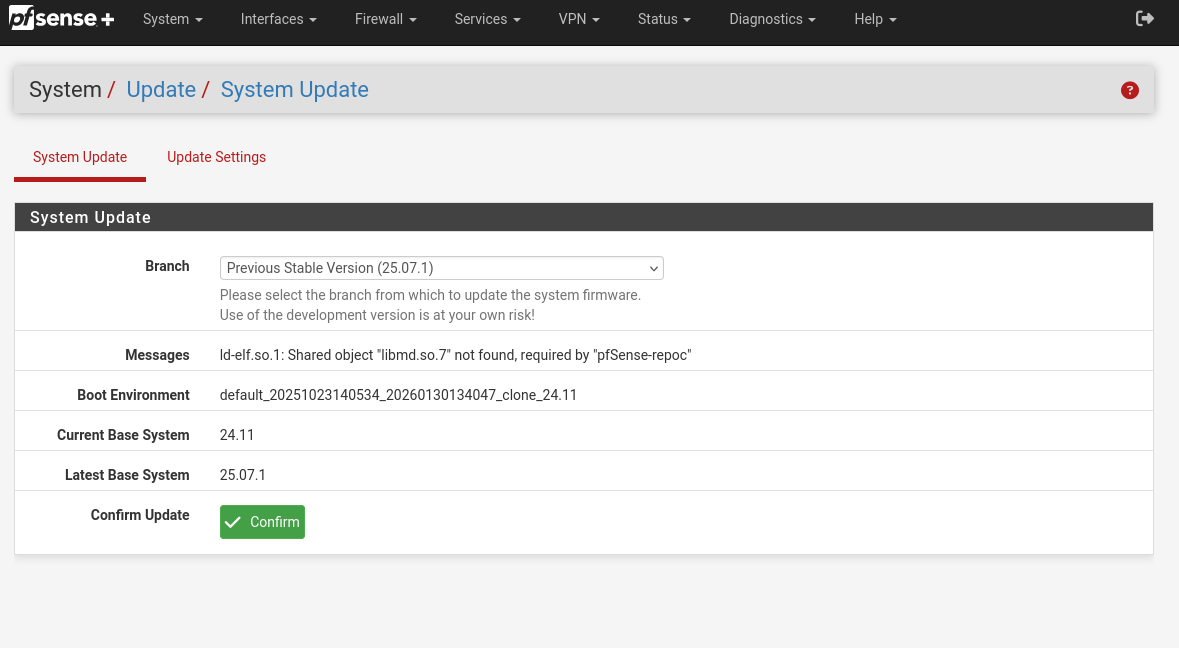
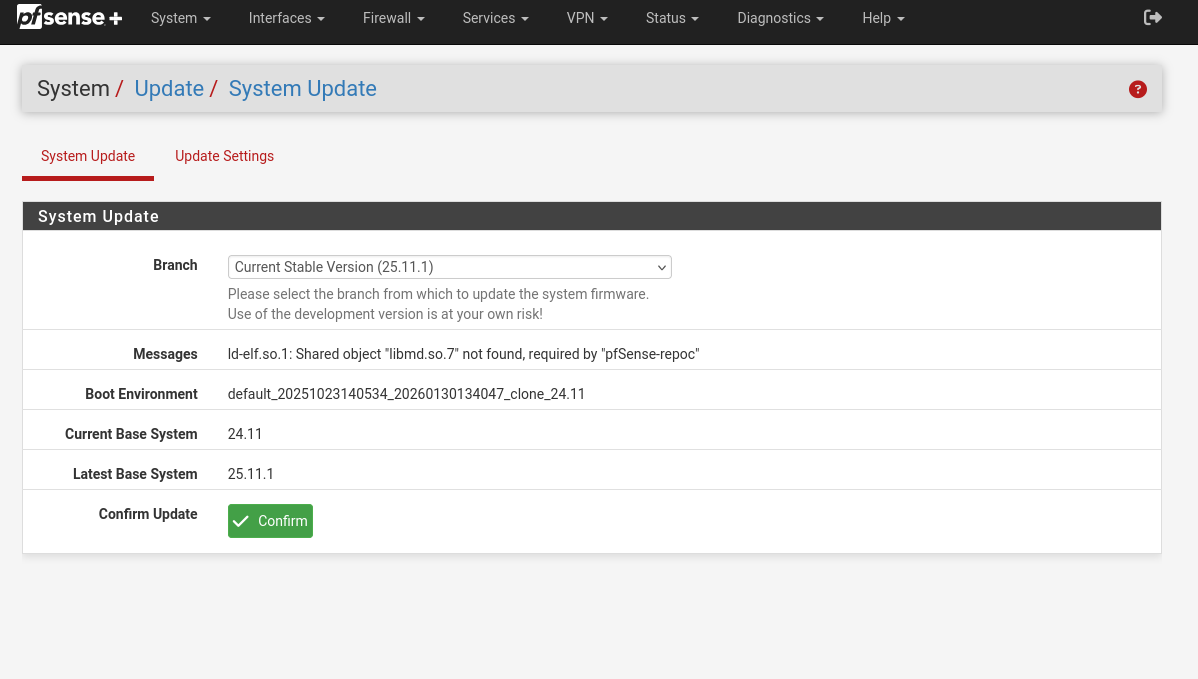
Tried to go back to a further version. 24.11 trying both 24.11 --> 25.07.1 and 24.11 --> 25.11.1. There is an error message in the gui screen System --> Update --> System Update.Error message: ld-elf.so:1 Shared object "libmd.so:7" not found, required by "pfSense-repoc"
When selecting either of the branches see attachments (screenshot 3 & 4).
Although there is an error on both versions. When trying to update regardless of this error message, one actually updates normal 24.11 --> 25.07.1 success and the other 24.11 -- 25.11.1 dies like the original complaint. After this tried the commands in attempt #1 again under the 24.11 branch then again tried to update 24.11 --> 25.11.1 same issue no gui, console login, or passing traffic.
Files
 Updated by Steve Wheeler 6 months ago
Are you able to get a full upgrade log from 25.07.1? Preferably from the cli using: pfSense-upgrade -d
 Updated by Peter N 6 months ago
- File 25.07.1 Console Boot Success Startup added
- File 25.11.1 Console pfSense update error 6100 appliance added
- File Differences from 25.07.01 to 25.11.1 console boot environment.txt added
- File Differences from 25.07.01 to 25.11.1 console boot environment side by side.txt added
- File Upgrade logs original console capture added
Per request sending in some files that may help. One is the original upgrade log I initially captured several days ago. Have not done other captures in that area. Other files are logs of boot ups in both environments 25.07.1 and 25.11.1 originals.Minus addresses and macs everything else should be included in those boot up files. Also providing diffs against those two files, but you can perform your own if needed on the originals. Let me know if anything else may help. Thanks.
Updated by Steve Wheeler 6 months ago
OK it looks like those logs are from just force upgrading all pkgs from 25.07.1 to 25.11.1 but doing that doesn't run any of the pfSense upgrade scripts.
Try rolling back to 25.07.1 then running: pfSense-upgrade -d
If you can log that output it should be more revealing.
 Updated by Marcos M 6 months ago
Would you provide the status archive before the upgrade (from /status.php)? You can upload it here (along with any relevant files):
https://nc.netgate.com/nextcloud/s/jzpwz223Zx7keaf
Also can you test from either 24.11/25.07.1 to 26.03-dev?
Updated by Peter N 6 months ago
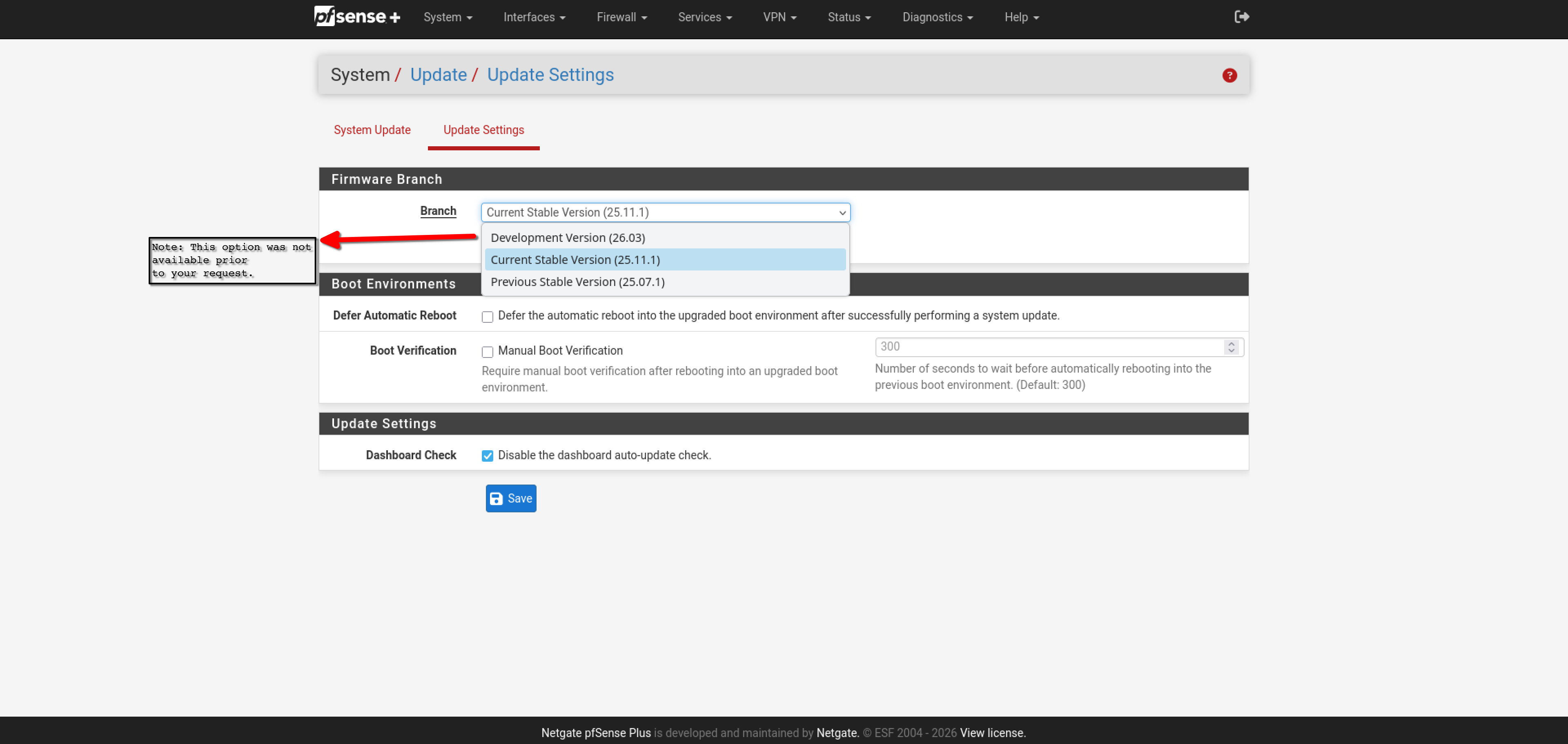
- File New updated Choices.png New updated Choices.png added
After reviewing your reply. Could you please elaborate more concisely about a few things.
I am attaching a screenshot of the update screen settings and findings. That prior to your reply I never had the option to try and upgrade to 26.03 dev. It is there now and will try to perform this upgrade. First though I would like to know if you want me to perform it in the console with a console record like last time pfSense-upgrade -d or through the gui?
In addition I noticed you removed my previous attempts for the upgrades that I uploaded. Can I get your current thoughts where you are going with this or trying to possibly identify?
Along with the /status.php file is quite large. This would require a significant amount of time to scrub markers. Is there anything particular you want from that output?
Finally I am assuming that you want most files moving forward uploaded to the link you provided?
I will wait for feedback before proceeding with any of this. Thanks in advance for clarifying these questions.
Updated by Marcos M 6 months ago
- Priority changed from High to Normal
The intent is to determine if the issue is already addressed in 26.03. Having the console output during the upgrade is useful so feel free to do that if possible. The files I removed contained potentially sensitive info such as the NDI/SN and hence they've been added to the file drop link I posted (contents are only accessible internally; yes - only use that link for files). Secrets are already stripped from the status archive so it should be fine to share (any info there is potentially useful when the cause of an issue is unknown). You may open a ticket with TAC if you'd prefer.
Updated by Peter N 6 months ago
Just tried the upgrade from 25.07.1 --> Dev 26.03 it failed upon reboot. (see attachment of console log .txt file)
Then tried to go from 24.11 --> Dev 26.03 no option to proceed past 25.11. (see attachment of Screenshot_24.11 - No option to 26.03.png)
All attachments referenced here are uploaded to link provided.
 Updated by Christian McDonald 6 months ago
Can I get the output from ls -l /lib and ls -l /usr/lib