Feature #16855
openGUI option to reset MIM device identity
100%
Description
We've seen a couple tickets where importing a config into another firewall will cause it to be unable to register to a Nexus controller if both exported and imported config firewalls are trying to communicate since the Nexus data identifiers are stored in the config file.
We should put a warning on this checkbox also to use the option if using Nexus and planning to import the config into a separate firewall.
Files
KP Updated by Kris Phillips 3 months ago
- Status changed from New to Confirmed
I can confirm this would be very helpful. Several customers have restored config backups from one firewall to another one and forgotten to remove the <mim> section from the config. This causes things like the encryption keys to be the same for multiple firewalls and cause registration issues until you manually delete this section from the config and blow away the Nexus database.
MM Updated by Marcos M 2 months ago
- Subject changed from Add option to skip Nexus registration data from config.xml export. to GUI option to reset MIM device identity
- Status changed from Confirmed to Feedback
- Target version set to 26.07
- % Done changed from 0 to 100
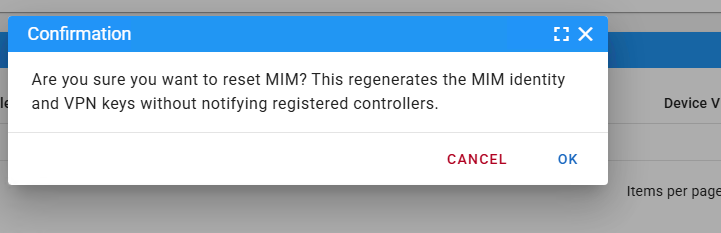
There is now a GUI option in Nexus to reset the MIM device identity - System > Advanced > Netgate Nexus click the page menu then Reset MIM.
AZ Updated by Alhusein Zawi about 2 months ago
- File clipboard-202607121632-z7sfb.png clipboard-202607121632-z7sfb.png added
- File clipboard-202607121632-l6c49.png clipboard-202607121632-l6c49.png added
added

26.10-DEVELOPMENT (amd64)
built on Sat Jul 11 14:42:00 UTC 2026
JP Updated by Jim Pingle about 2 months ago
- Release Notes changed from Default to Force Exclusion