Bug #16784
open

"Updating repositories metadata" returned error code 1 appears on dashboard after fresh boot when Tailscale pkg is installed under certain unknown conditions
100%
Description
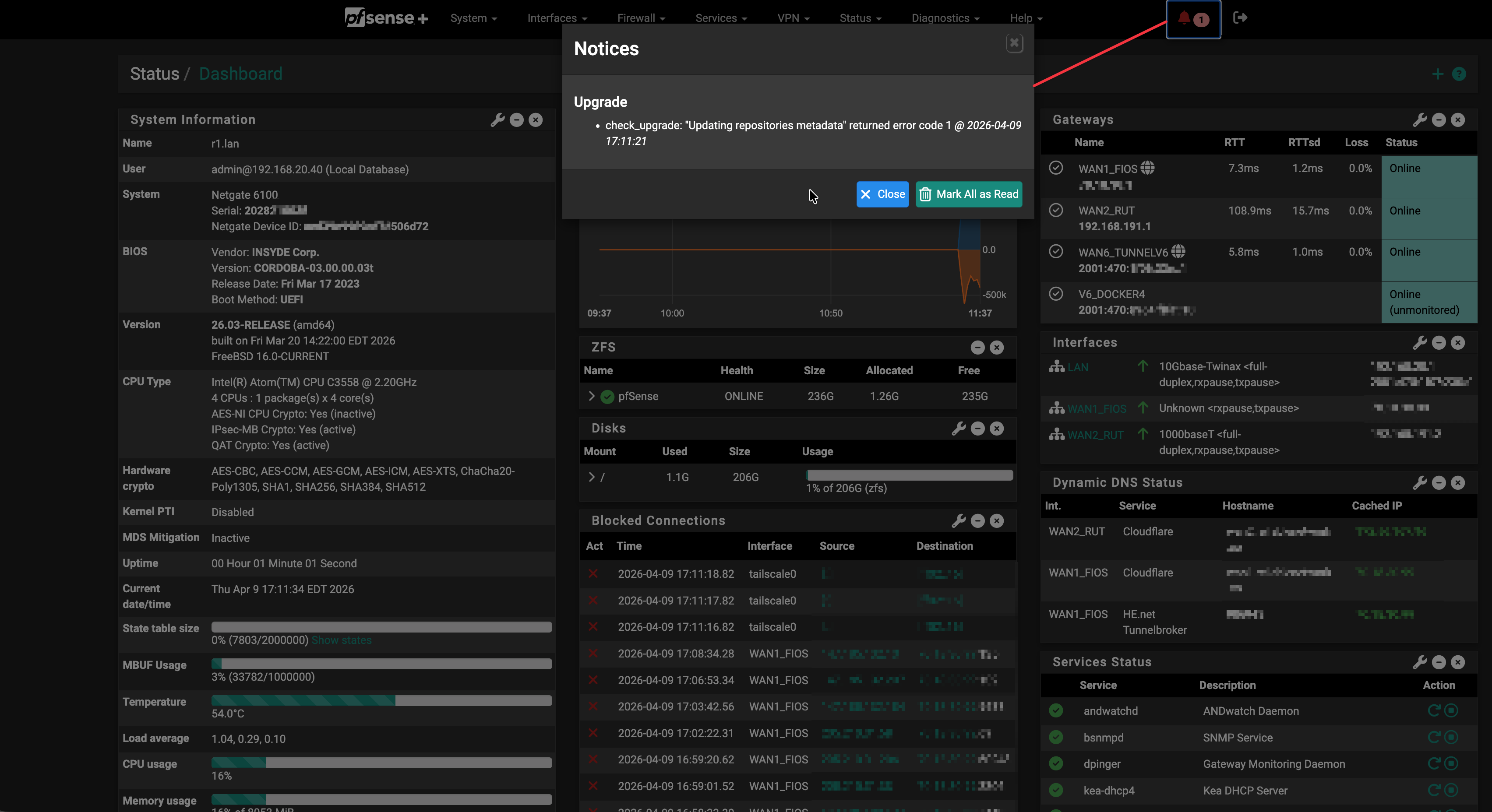
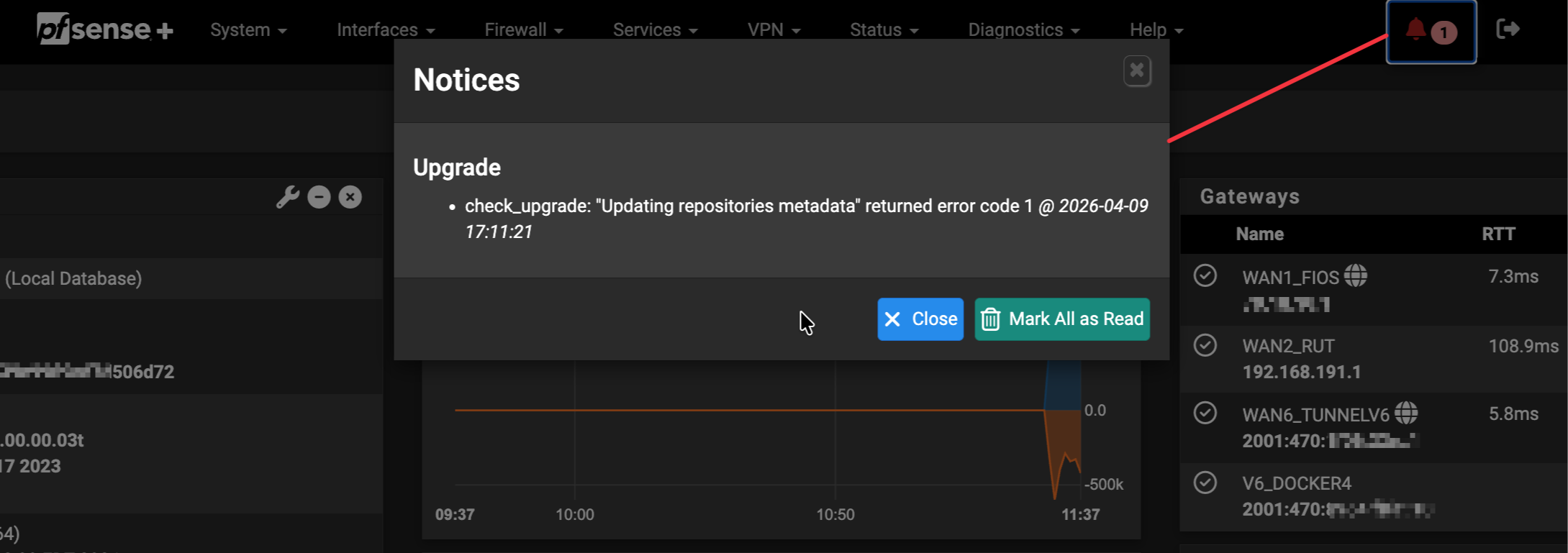
Since updating to 26.03 from 25.11.1, I now get the error below on my dashboard at every boot:
"check_upgrade: "Updating repositories metadata" returned error code 1"
This was originally reported here: https://forum.netgate.com/topic/200209 but that discussion was moved to a private chat with Marcos M (marcosm). After a few eeks of back and forth, I reached a conclusion that this is somehow caused by the Tailscale package. When Tailscale is disabled or removed, the error does not occur.
Looking at the logs, it seems like this is caused by Tailscale stopping and starting rapidly a few times during the boot process (which seems odd). It appears that whenever this is done, it briefly interrupts connectivity and/or restarts services. This seems to happen during a sensitive time window of the boot process, right around when the pkg metadata is being fetched.
I tried updating tailscale to v1.96.4 (pkg add -f https://pkg.freebsd.org/FreeBSD:16:amd64/latest/All/tailscale-1.96.4.pkg) but that did not have any effect. I also tested disabling the Python Unbound module, which also did not have any effect.
I have what I'd consider a setup of "mid-level" complexity:
- Netgate 6100
- (1) Hurricane Electric 6in4 tunnel for IPv6 since my ISP (Verizon Fios) does not provide native v6
- (1) Site-to-site Wireguard tunnel to a work datacenter
- (1) Unbound Python module that filters out AAAA responses to avoid traffic naturally preferring to flow over the slow HENET tunnel
- Multi-WAN, primary is a 2GBit FIOS (dyn IP) and backup is a mobile 4G router with Ethernet
- A few VLANs (main, storage, IoT, guest, DMZ)
Packages installed:
- acme
- ANDwatch
- arping
- Cron
- Filer
- iperf
- mDNS-Bridge
- Netgate_Firmware_Upgrade
- Nexus
- Shellcmd
- sudo
- System_Patches
- Tailscale
- WireGuard
Happy to provide any debug logs, /verbose_rc output, /status.php dumps or any other info requested. I have sent Marcos some private gists with debug logs from our troubleshooting session, so hopefully I don't need to link those here.
Files
 Updated by → luckman212 4 months ago
possibly related: https://redmine.pfsense.org/issues/16751
 Updated by Kris Phillips 4 months ago
- Category changed from Unknown to Package System
Do you potentially have any connectivity for the firewall going through the Tailscale VPN, such as DNS? That could cause issues with pkg until it's initialized.
Updated by → luckman212 4 months ago
No. I don't use Tailscale DNS at all, and my Unbound is in resolver mode, not doing any forwarding. Also, I don't accept or advertise any routes through Tailscale.
Updated by → luckman212 4 months ago
Just adding an additional note from the private conversation that has continued with Marcos:
- I tested switching to a reusable auth-key
- I checked the logs to confirm that the auth-key was being passed a value on every invocation:
# grep 'auth-key=' /var/log/system.log
<13>1 2026-04-22T20:27:37.597716-04:00 r1.lan tailscale 13127 - - Bringing up tailscale0 with --auth-key=tskey-auth-koZa4g_xxx... --login-server=https://controlplane.tailscale.com --advertise-exit-node --accept-routes=false --accept-dns=false --advertise-routes=
<13>1 2026-04-22T20:27:38.068286-04:00 r1.lan tailscale 15857 - - Bringing up tailscale0 with --auth-key=tskey-auth-koZa4g_xxx... --login-server=https://controlplane.tailscale.com --advertise-exit-node --accept-routes=false --accept-dns=false --advertise-routes=
<13>1 2026-04-22T20:30:01.874090-04:00 r1.lan tailscale 70781 - - Bringing up tailscale0 with --auth-key=tskey-auth-koZa4g_xxx... --login-server=https://controlplane.tailscale.com --advertise-exit-node --accept-routes=false --accept-dns=false --advertise-routes=
<13>1 2026-04-22T20:35:03.050512-04:00 r1.lan tailscale 38617 - - Bringing up tailscale0 with --auth-key=tskey-auth-koZa4g_xxx... --login-server=https://controlplane.tailscale.com --advertise-exit-node --accept-routes=false --accept-dns=false --advertise-routes=
<13>1 2026-04-22T21:02:44.085607-04:00 r1.lan tailscale 24509 - - Bringing up tailscale0 with --auth-key=tskey-auth-koZa4g_xxx... --login-server=https://controlplane.tailscale.com --advertise-exit-node --accept-routes=false --accept-dns=false --advertise-routes=
<13>1 2026-04-22T22:07:33.306672-04:00 r1.lan tailscale 17920 - - Bringing up tailscale0 with --auth-key=tskey-auth-koZa4g_xxx... --login-server=https://controlplane.tailscale.com --advertise-exit-node --accept-routes=false --accept-dns=false --advertise-routes=
Regardless, that did not fix this issue
Updated by → luckman212 3 months ago
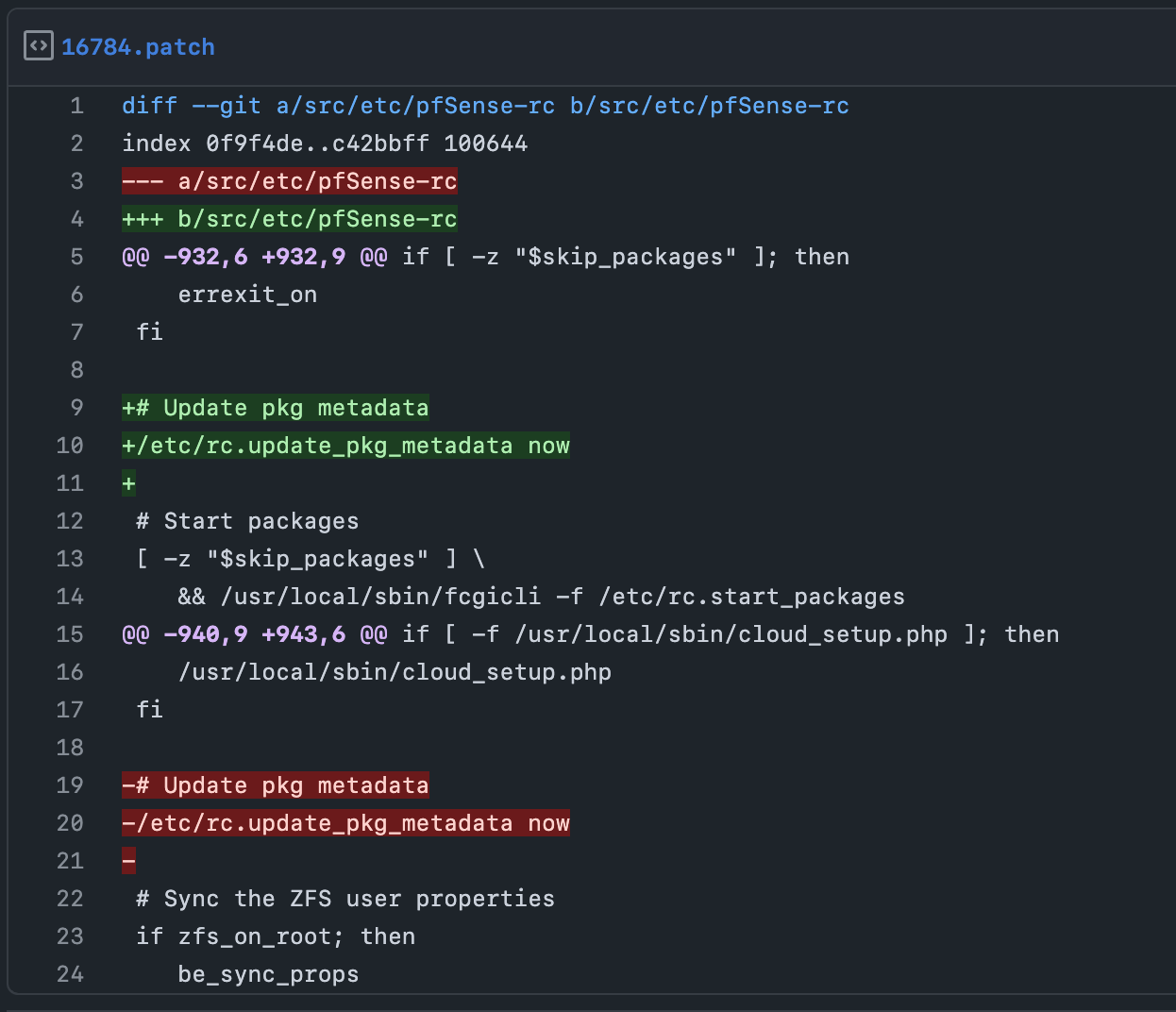
Thinking that this is a sensitive timing issue, I moved /etc/rc.update_pkg_metadata now a few lines up, so it runs before # Start packages in /etc/pfSense-rc
That has fixed this error for me!
I made a patch that can be applied via System Patches:
https://gist.github.com/luckman212/19f7d6966a982b8c6c65798787ec87f3

Updated by → luckman212 2 months ago
Data point:
Updated to 26.03.1 just now. Same error occurred after reboot (I don't auto-apply patches), and same patch above continues to fix it for me.
Updated by → luckman212 24 days ago
Data point:
26.07-BETA (26.07.b.20260702.234) still requires this patch to avoid the warning at boot (and the patch successfully squelches it)
 Updated by Luiz Souza about 18 hours ago
- Status changed from New to Feedback
- Assignee set to Luiz Souza
- % Done changed from 0 to 100
Patch committed to 26.07 (and newer releases).
Thanks.
 Updated by Marcos M about 18 hours ago
- Project changed from pfSense Plus to pfSense
- Category changed from Package System to Package System
- Target version set to 2.9.0
- Affected Plus Version deleted (
26.03) - Plus Target Version set to 26.07
- Affected Architecture All added
- Affected Architecture deleted (
6100)