Bug #15110
open
pfSense hangs when rebooting
Added by Danilo Zrenjanin over 2 years ago. Updated about 2 months ago.
0%
Description
Start the reboot from the GUI:
Enter an option: pflog0: promiscuous mode disabled
Waiting (max 60 seconds) for system process `vnlru' to stop... done
Waiting (max 60 seconds) for system process `syncer' to stop...
Syncing disks, vnodes remaining... 0 0 0 0 0 0 done
All buffers synced.
Uptime: 3m20s
Khelp module "ertt" can't unload until its refcount drops from 1 to 0.
uhub0: detached
At this point, it hangs. Noticed on a Netgate 6100 with 23.09.1.
Files
| clipboard-202312281024-brq7o.png (1.18 MB) clipboard-202312281024-brq7o.png | Danilo Zrenjanin, 12/28/2023 09:24 AM | ||
| clipboard-202408011234-stqnb.png (36.5 KB) clipboard-202408011234-stqnb.png | Lev Prokofev, 08/01/2024 09:32 AM | ||
| netgate 6100 error uhub0 detach.png (42 KB) netgate 6100 error uhub0 detach.png | João Moreira, 09/05/2024 10:18 PM |
 Updated by Marcos M over 2 years ago
- Subject changed from pfSense Plus hangs during the graceful reboot process to pfSense hangs when rebooting
- Description updated (diff)
 Updated by Steve Wheeler over 2 years ago
Note this was after adding a 3rd party SSD.
 Updated by Danilo Zrenjanin over 2 years ago
The clean installation procedure on the 3rd party SSD went smoothly, but the issue persisted with no other side effects.
 Updated by Kris Phillips over 2 years ago
Danilo Zrenjanin wrote in #note-3:
The clean installation procedure on the 3rd party SSD went smoothly, but the issue persisted with no other side effects.
What make and model is the SSD?
Updated by Danilo Zrenjanin over 2 years ago
Installing the SSD drive in another port did not resolve the issue. It behaved in the same way.
Updated by Danilo Zrenjanin over 2 years ago
The drives used in testing:
Trancent ts128Gmte452 and SK hynix.
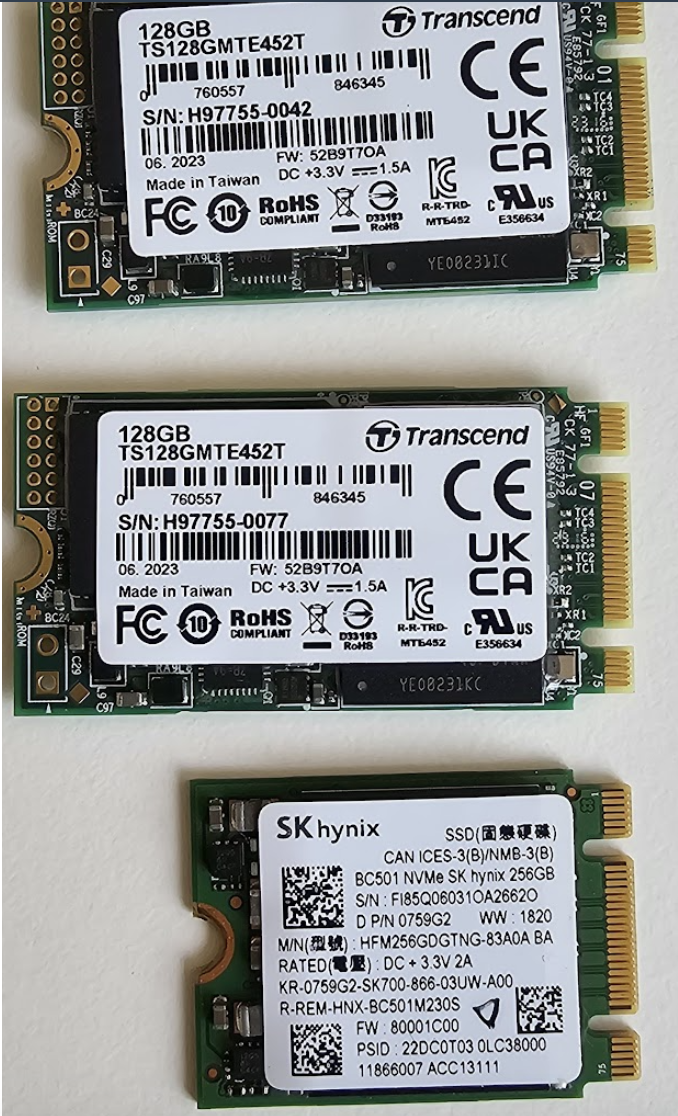
The behavior is the same. It hangs when rebooting.
Updated by Danilo Zrenjanin over 2 years ago
The TAC ticket number for reference is:
2157407569
 Updated by M O over 2 years ago
same issue here. 6100, 23.09.1
onboard mmc died, added a WD SN520 NVME SSD.
same console output
 Updated by aleksei prokofiev over 2 years ago
Another one TAC ticket with the same issue
2336421939
 Updated by Christopher Cope over 2 years ago
Another user having this issue on a 5100. 2396258146
Updated by Kris Phillips over 2 years ago
Customer reported this issue utilizing a Dogfish 2242 M.2 SSD. Model SSDMCEAC060B3A. Customer ticket 2396258146.
Updated by Christopher Cope over 2 years ago
Another customer having this issue on a 5100 with a SHARKSPEED SSD M.2 2242 128GB. 2423567446
 Updated by Jacques Paquin over 2 years ago
Same issue. Factory Netgate 6100. No add-ons or changes. 23.09.1
Have NOT changed the internal storage. Factory everything.
Updated by Danilo Zrenjanin over 2 years ago
Another user encountered the same issue with their Netgate 6100 device after installing the Transcend TS256GMTE460T NVMe SSD drive.
The internal ticket reference number for this issue is #2488837032.
Updated by Danilo Zrenjanin over 2 years ago
The 256 GB WD NVMe SSD performs without any issues when used with the Netgate 6100.
 Updated by Chris W about 2 years ago
#2694043009 A 4100 using a Transcend TS128GMTE452T, but doesn't show the same "can't unload" message. This instead looks normal but it never actually reboots.
Netgate pfSense Plus is rebooting now.
pflog0: promiscuous mode disabled
Waiting (max 60 seconds) for system process `vnlru' to stop... done
Waiting (max 60 seconds) for system process `syncer' to stop...
Syncing disks, vnodes remaining... 0 0 0 0 0 0 done
All buffers synced.
Uptime: 2m38s
uhub0: detached
 Updated by Lev Prokofev about 2 years ago
#2694043009 The latest test shows Khelp module "ertt" can't unload until its refcount drops from 5 to 0.
Enter an option:
Message from syslogd@pfSense at Jun 28 07:01:32 ...
php-fpm[407]: /index.php: Successful login for user 'admin' from: 192.168.1.100 (Local Database)

Netgate pfSense Plus is now shutting down ...

net.inet.carp.allow: 0 -> 0
pflog0: promiscuous mode disabled
Waiting (max 60 seconds) for system process `vnlru' to stop... done
Waiting (max 60 seconds) for system process `syncer' to stop...
Syncing disks, vnodes remaining... 0 0 0 0 0 done
All buffers synced.
Uptime: 2m27s
Khelp module "ertt" can't unload until its refcount drops from 5 to 0.
ix3: link state changed to DOWN
ix3: link state changed to UP
uhub0: detached
Updated by Lev Prokofev about 2 years ago
#3049726503 installed the original drive from the spare device, but it still hangs.
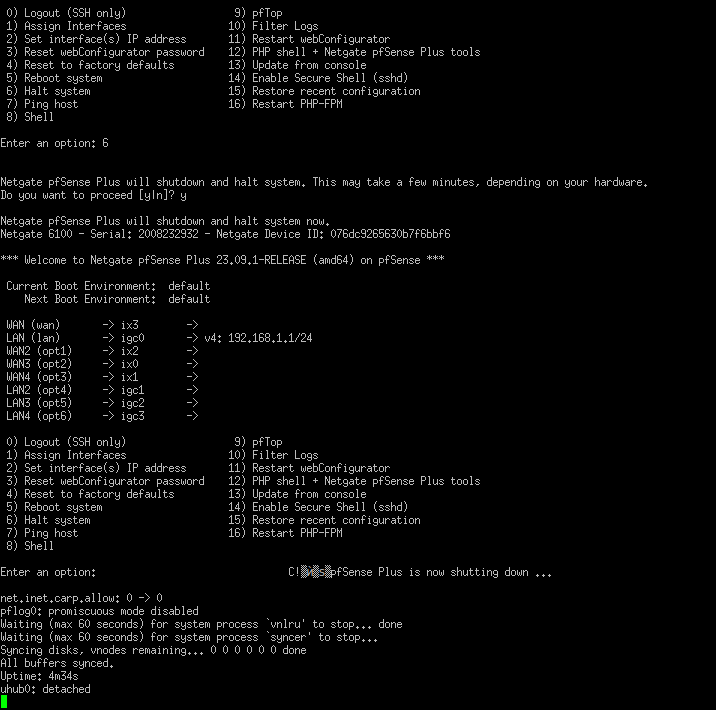
 Updated by Andrew Almond about 2 years ago
Ran into the same issue today on a 6100.
The internal storage was no longer detected after a power outage, so we installed pfSense 24.03 to a USB stick as a temporary workaround.
The output looks the same as the other posts - the usb devices are detached and then nothing. It also needed to be manually rebooted when the the pfSense installation was finished.
We DO NOT get the "Khelp module "ertt" can't unload until its refcount drops from 5 to 0." message".
 Updated by João Moreira almost 2 years ago
same error here after change the original 16 GB eMMC to a 128 GB NVMe SSD
 Updated by Jon Harrison over 1 year ago
Same error as others above. 5100 with a TS32GMTS400S 32gb M.2, same as photo in original post.
This occured after using serial console to "update from console", updating v23.05.1 to 23.09.1
 Updated by Thijs van Dien over 1 year ago
Danilo Zrenjanin wrote in #note-15:
The 256 GB WD NVMe SSD performs without any issues when used with the Netgate 6100.
Which specific model would that be? Quite odd that basically all SSDs show the issue but one doesn't...?
 Updated by Daniel van der Wal over 1 year ago
Same here with a 5100 after change the original 8GB eMMC to a 128 GB SSD. It never reboots without removing the power completely....
Model Family: Silicon Motion based SSDs
Device Model: TS128GMTS430S
 Updated by
  Updated by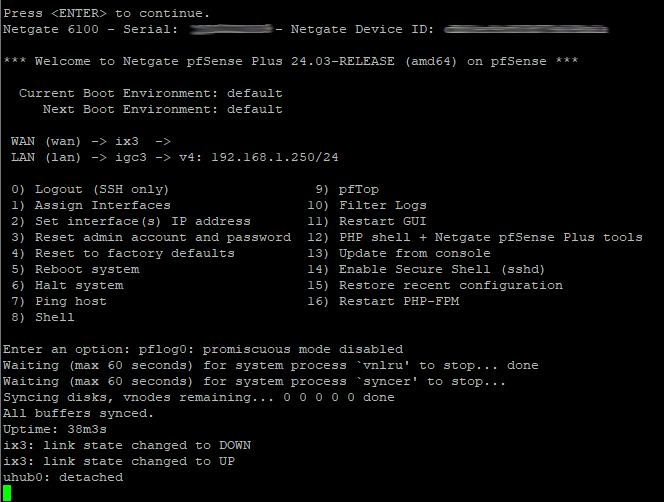
 Updated by Jim Thompson 9 months ago
M O wrote in #note-8:
same issue here. 6100, 23.09.1
onboard mmc died, added a WD SN520 NVME SSD.
same console output
Chris W wrote in #note-16:
#2694043009 A 4100 using a Transcend TS128GMTE452T, but doesn't show the same "can't unload" message. This instead looks normal but it never actually reboots.
[...]
Andrew Almond wrote in #note-19:
Ran into the same issue today on a 6100.
The internal storage was no longer detected after a power outage, so we installed pfSense 24.03 to a USB stick as a temporary workaround.
The output looks the same as the other posts - the usb devices are detached and then nothing. It also needed to be manually rebooted when the the pfSense installation was finished.We DO NOT get the "Khelp module "ertt" can't unload until its refcount drops from 5 to 0." message".
João Moreira wrote in #note-20:
same error here after change the original 16 GB eMMC to a 128 GB NVMe SSD
Wil M wrote in #note-26:
facing the same issue too with a 4100. any workaround that can be used?
possibly. can each of you open a ticket with TAC, referencing this thread and we'll take it from there?
 Updated by dylan mendez 3 months ago
Internal ticket 45546069819 also experiencing this on 26.03.
Updated by Kris Phillips 3 months ago
Customer in ticket 45556712615 is also experiencing this issue with a TOSHIBA kbg30zms 256Gb NVME drive
 Updated by y B 3 months ago
Hi,
Same issue for me, Netgate 4100 EMMC is died.
I have install an TOSHIBA kbg30zms SSD.
When i reboot i got the following output from the console :
Netgate pfSense Plus is now shutting down ...
net.inet.carp.allow: 0 -> 0
pflog0: promiscuous mode disabled
Waiting (max 60 seconds) for system process `vnlru' to stop... done
Waiting (max 60 seconds) for system process `syncer' to stop...
Syncing disks, vnodes remaining... 0 0 done
All buffers synced.
Uptime: 13m27s
ix3: link state changed to DOWN
ix3: link state changed to UP
uhub0: detached
Then nothing and i have to manually power cycle the netgate 4100 for the reboot.
TAC Ticket number : 45556712615
Updated by y B 3 months ago
EDIT : RESOLVED BY HARDWARE MODIFICATION
AFTER DESOLDERING THE EMMC THE FIREWALL WORK PERFECTLY FINE WITH A NVME DRIVE (reboot and instant console output at startup)
This modification isn't something everyone can do and requires equipment, but if you know someone who can do it, that solves the problem.
 Updated by Erik Osterholm 3 months ago
- File deleted (
IMG_6852.JPEG) - File deleted (
IMG_6853.JPEG)
 Updated by Carrington Goddard about 2 months ago
y B wrote in #note-33:
EDIT : RESOLVED BY HARDWARE MODIFICATION
AFTER DESOLDERING THE EMMC THE FIREWALL WORK PERFECTLY FINE WITH A NVME DRIVE (reboot and instant console output at startup)
This modification isn't something everyone can do and requires equipment, but if you know someone who can do it, that solves the problem.
I can confirm the same result on my Netgate 4100.
My unit had a Kingston eMMC chip and is now booting from an SK Hynix NVMe drive using a B+M adapter. Before removing the eMMC chip, the firewall would hang on reboot and require a manual power cycle. After desoldering the eMMC chip, rebooting from the CLI now works normally, with console output appearing immediately at startup.
This is obviously not a general user-friendly workaround and requires proper soldering equipment/experience, but in my case it resolved the reboot hang.
Also available in: Atom